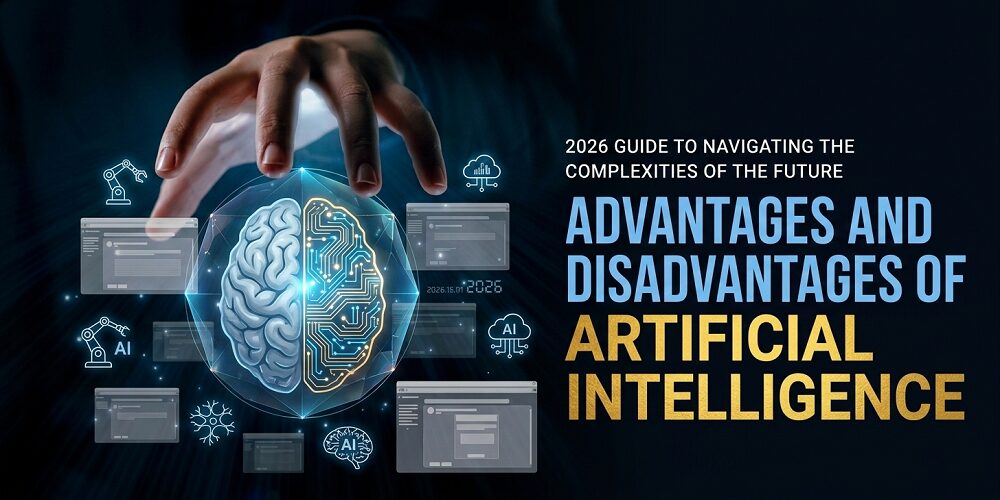
AI is not a “someday” thing anymore. Goldman Sachs (2023) warned that AI could affect nearly 300 million full-time jobs worldwide. In 2026, you bump into AI all day. It shows up in help chats. It sorts your inbox. It writes drafts you still need to fix.
Artificial intelligence is software that learns from data to do tasks. It finds patterns, makes predictions, or follows steps you set. This guide breaks down the advantages and disadvantages of artificial intelligence in plain language. You will get clear pros and cons, real examples (good and bad), and a simple way to decide if AI fits your work or business.

AI can save you time, but you still need rules and reviews.
Key Takeaways
- AI saves time by automating routine work.
- AI supports better decisions by spotting patterns in data.
- AI can run 24/7, even when your team sleeps.
- Job displacement risk is real in 2026.
- Privacy and security mistakes can spread fast with AI.
- Bias and deepfakes are serious problems.
- Small businesses can start with low-cost tools.
What Is Artificial Intelligence?
AI is software that learns patterns from data. Then it uses those patterns to predict, sort, write, or respond. A common type is machine learning. That means it improves by training on examples.
You already use AI in normal life. Think phone autocorrect. Think spam filters. Think streaming recommendations. At work, it often looks like chatbots, image tools, or systems that tag tickets and suggest replies.
One thing matters most: AI repeats what it learned. If your data is messy or biased, the output can be messy or biased too. If you want a deeper primer, see what is artificial intelligence.
Key Advantages Of Artificial Intelligence
AI works best when your work repeats, your data is large, or your customers expect fast answers. It is not magic. It is a tool. And like any tool, it helps more when you use it with care.
Automates Repetitive Tasks
AI can take on routine work like sorting emails, tagging support tickets, or filling fields. That gives you time for tasks that need judgment.
Example: You run a small online store. AI answers common shipping questions and tags support tickets. You stop typing the same replies all day.
Guardrail: Keep the bot limited to FAQs. Add a clear human handoff for refunds, complaints, and anything emotional.
Improves Decision-Making With Data
AI is good at spotting patterns across big datasets. It can flag unusual sales drops, predict inventory needs, or highlight possible fraud.
Example: A retail team uses AI to spot unusual sales drops and predict inventory needs. It flags issues before shelves go empty.
Guardrail: Use AI as a signal, not the final call. Require human approval for big purchases or major changes.
Works 24/7 Without Breaks
AI can cover basic support at night and on weekends. That is useful if you sell online or serve global customers.
Example: A chatbot covers basic questions at night and creates tickets for your team. Security monitoring also flags suspicious logins after hours.
Guardrail: Set boundaries on what the bot can do. Keep a path for urgent cases to reach a real person.
Reduces Human Error in High-Stakes Tasks
Humans get tired. Repeated steps lead to mistakes. AI can help reduce errors in consistent workflows, especially where checking is the main job. In healthcare, AI can support clinicians by highlighting areas of concern in medical images. It does not replace a professional. It helps them review faster and more consistently.
Example: In healthcare, AI highlights areas of concern in scans so clinicians can review faster. It can help catch patterns people may miss when tired.
Guardrail: A licensed professional must confirm results. Track false alarms and missed cases, then adjust the system.
Personalizes Experiences for Users and Customers
AI can tailor what people see based on behavior. This includes product suggestions, learning paths, and email timing.
Example: An ecommerce site suggests related products based on what someone views. A learning app adjusts practice questions to match a student’s level.
Guardrail: Collect only the data you need. Offer opt-outs and avoid using sensitive personal data for targeting.
Speeds Up Research and Innovation
AI can scan papers, compare options, and suggest patterns. That helps in early research, where time is often wasted on searching and sorting.
Example: AI scans reviews, support logs, or research papers and groups common themes. That helps you find patterns faster.
Guardrail: Spot-check the sources. Do not treat summaries as truth without verification.
Enhances Accessibility for More People
AI can remove barriers for many users. It can create captions, convert speech to text, and translate quickly.
Example: Live captions help users follow meetings. Speech-to-text helps you capture notes quickly. Translation helps you reply to global customers.
Guardrail: Double-check key details like names, dates, and prices. Automated tools can mishear or mistranslate.
Helps You Create Content Faster (With Human Editing)
AI can speed up the first draft of emails, outlines, and simple copy. It helps when you are stuck or short on time.
Example: You generate headline ideas, email drafts, or outline options. Then you rewrite the best version in your own voice.
Guardrail: Fact-check everything. Remove generic phrasing and keep your tone consistent before publishing.
Supports Predictive Maintenance and Safety
AI can spot warning signs in machines before they break. It does that by watching sensor data for odd patterns.
Example: A factory uses sensor data and AI to detect unusual vibration in a motor. The team fixes it before it fails.
Guardrail: Keep regular inspections and safety procedures. Never rely on AI as the only safety system.
Improves Scheduling and Planning
AI can help plan routes, shifts, and workloads. This matters when demand swings week to week.
Example: A delivery business uses AI to suggest routes based on traffic patterns. A clinic uses AI scheduling to reduce appointment gaps.
Guardrail: Let staff override the plan. Review delays and complaints weekly so the system does not “optimize” in a way that harms people.
Key Disadvantages Of Artificial Intelligence
Most AI problems are not “AI problems.” They are people and process problems. Weak data, weak rules, and blind trust cause the mess. You can lower risk with clear guardrails and human review.
Job Displacement and Automation Risks
AI can replace tasks fast, even if it does not replace whole jobs right away. Routine admin work, basic support, and simple analysis are at higher risk. Goldman Sachs estimated nearly 300 million jobs could be exposed to automation. In 2026, the better move is upskilling. Learn tools that make you faster. Aim for work that needs judgment and communication.
Example: A company adds chatbots and reduces entry-level support roles. Over time, fewer people get hired for routine tasks.
Guardrail: Upskill staff into roles like quality review, escalation, and workflow design. Treat AI as a tool for people, not a replacement plan.
High Setup Costs and Ongoing Maintenance
The subscription price is not the full cost. You may need data cleanup, integrations, training, and security reviews.
Example: You buy an AI tool, then discover you need data cleanup, integrations, training, and constant tuning to keep it accurate.
Guardrail: Start with a small pilot. Assign a clear owner and budget time for ongoing updates, not just the first setup.
Lack of Human Judgment and Empathy
AI can sound polite and still be wrong for the moment. It struggles with sensitive situations and emotional nuance.
Example: A bot replies coldly to a customer who reports fraud, a death, or an urgent crisis. The response damages trust.
Guardrail: Create “human-only” triggers. If the topic is sensitive, urgent, or high impact, route it to a person fast.
Data Privacy and Security Concerns
AI often needs access to data to be useful. That raises the risk of leaks and misuse.
Example: An employee pastes private customer details into a public AI chatbot to get a quick reply. That can expose sensitive data.
Guardrail: Set strict data rules, use access controls, and train staff on what cannot be shared. Vet vendors and log usage.
AI Bias and Ethical Problems
Bias is simple: bad or uneven data can create unfair outcomes.
Example: A hiring or lending model is trained on old data that reflects unfair patterns. It quietly rejects certain groups more often.
Guardrail: Audit outcomes, test across groups, and require human review for high-stakes decisions. Improve data quality over time.
Overreliance Can Make You Less Skilled
When AI does the thinking, your skills can weaken. Teams may trust AI summaries without reading sources. People may stop asking “is this right?”
Example: A team trusts AI summaries and stops reading source documents. Errors slip through because no one checks.
Guardrail: Require spot checks and second opinions. Train users to challenge outputs and confirm key points.
Hallucinations and Confident Wrong Answers
Some AI tools make up details when they are unsure. The worst part is that the answer can sound confident.
Example: AI gives a policy answer that sounds right but includes a made-up rule. Your team follows it and creates a compliance issue.
Guardrail: For anything legal, medical, or financial, require citations and verification. Keep a “no source, no trust” rule.
Copyright, Ownership, and Brand Voice Risks
AI can produce text and images fast, but ownership can get messy. Some outputs may look too close to existing work. It can also make your brand sound generic.
Example: AI creates an image or copy that looks too close to existing work. Or it makes your brand sound generic and “same as everyone.”
Guardrail: Use licensed tools, rewrite in your voice, and review high-value assets with legal or creative experts when needed.
Vendor Lock-In and Tool Dependence
If your workflow depends on one AI provider, switching later can hurt. Costs can rise. Limits can change. Policies can shift.
Example: You build your workflow around one AI platform. Then pricing changes or features get limited, and switching is painful.
Guardrail: Choose tools with export options. Document prompts and processes. Keep a backup plan for critical workflows.
Environmental and Energy Costs
Large AI systems can use a lot of energy, especially at scale. You may not notice it day to day, but it is part of the cost.
Example: A team runs large AI jobs all day for tasks that could be done with simpler tools. Energy use adds up at scale.
Guardrail: Use AI only where it adds real value. Prefer smaller models when possible, batch tasks, and track usage to reduce waste.
Examples Of Good AI Use Cases (Where The Upside Is Clear)
These are places where AI can help without taking full control. The safest setups keep professionals in charge.
| Use case | What AI does well | Your guardrail |
| Healthcare | Supports earlier cancer detection from scans | Clinician confirms, track errors |
| Education | Personalizes learning (example: Khan Academy AI) | Do not replace teacher feedback |
| Customer service | Resolves common questions fast | Human handoff for complex cases |
| Agriculture | Predicts yields, reduces waste | Validate with field data |
| Finance | Flags suspicious transactions | Audit for bias and false alarms |
If you want to start small, see best AI tools for small businesses and improve one workflow first.
Examples Of Bad AI Use Cases (When AI Causes Real Harm)
These cases tend to fail when the stakes are high and oversight is weak.
- Deepfake misinformation and scams that impersonate real people.
- Biased hiring tools that quietly reject qualified groups.
- Surveillance misuse by authoritarian governments to silence dissent.
- Autonomous weapons used without clear oversight and accountability.
- Unsafe medical advice from chatbots that guess instead of refer out.
The danger level depends on rules, testing, and human oversight. If you cannot add those, do not use AI for that job.
Industry-specific Benefits Vs Risks In 2026 (Quick Table)
| Industry | AI Benefit | AI Risk |
| Healthcare | Faster diagnosis support | Privacy breaches |
| Education | Adaptive learning | Over-dependence |
| Finance | Fraud detection | Algorithmic bias |
| Retail | Personalization | Job cuts |
| Manufacturing | Predictive maintenance | Worker displacement |
| Legal | Contract review | Lack of human judgment |
Match AI to your risk level and data sensitivity. Start with low-risk tasks first. Add more review when the cost of being wrong is high.
Advantages And Disadvantages Of AI (Full Summary Table)
| Advantages of AI | Disadvantages of AI |
|---|---|
| Automates repetitive tasks and saves your time. | Can replace routine tasks and reduce some jobs. |
| Improves decisions by finding patterns in large data. | Setup and maintenance can cost more than you expect. |
| Works 24/7 for support and monitoring. | Lacks human judgment and empathy in sensitive cases. |
| Reduces human error in repeated, high-stakes workflows. | Creates privacy and security risks when data is mishandled. |
| Personalizes experiences for customers and users. | Can be biased if trained on unfair or incomplete data. |
| Speeds up research by scanning and sorting information fast. | Overreliance can weaken your skills and critical thinking. |
| Improves accessibility with captions, speech-to-text, and translation. | Can give confident wrong answers (hallucinations). |
| Helps content drafts and brainstorming when you edit the final. | Raises copyright and ownership concerns for content and images. |
| Supports predictive maintenance and safer operations. | Can lock you into one vendor as costs and rules change. |
| Improves scheduling, routing, and resource planning. | Uses energy at scale, which adds environmental cost. |
Is Artificial Intelligence Right for Your Business in 2026?
Start with one clear problem. Do you want faster replies, fewer errors, or lower costs? Then look at your data. If your data is messy, AI will copy the mess. Next, ask what happens if the AI is wrong. If the risk is low, you can start sooner. If the risk is high, add stronger checks.
Also pick an owner. Someone should review results every week. Small issues grow when nobody watches.
If you are comparingAI solutions for business, focus on the workflow and risk first. The rightAI integration services help you set rules, train staff, and avoid ugly surprises.
Frequently Asked Questions About AI Pros and Cons
What are the main advantages of artificial intelligence?
AI automates routine tasks, supports decisions with data, and works around the clock. It can also reduce mistakes in repeatable work. You still need humans for final calls.
What are the biggest disadvantages of AI?
The biggest risks include job disruption, privacy leaks, bias, and wrong answers. Costs can also rise due to setup and maintenance. Strong rules and human review reduce most problems.
Can small businesses benefit from AI?
Yes. Many tools are low cost and easy to test. Start with one task, like FAQs or email drafts, and expand only after you see stable results.
Does Techeasify offer AI consulting or integration services?
Yes. Techeasify can help you pick tools and set safe workflows. Contact Techeasify if you want guidance without overbuilding.
Is AI dangerous?
AI is not good or bad on its own. It depends on how you use it. With testing, privacy rules, and oversight, AI can be helpful. Without them, it can cause real harm.
Conclusion
AI can help you move faster and handle more work. That is the upside. The downside shows up when you trust it blindly, feed it poor data, or skip basic privacy rules. The advantages and disadvantages of artificial intelligence come down to speed and scale versus risks like bias, privacy, and job disruption. Keep humans in charge, and the results get better.
Want help choosing tools and setting rules that fit your risk level? Book a free AI consultationand get started with AI today.