What Is HTTPS, and why does your browser care so much about it? In plain terms, HTTPS provides a secure connection to a website, keeping it private and harder to mess with.
Key Takeaways
- HTTPS full form: Hypertext Transfer Protocol Secure
- It uses SSL/TLS encryption to protect data in transit
- It helps protect logins and payments
- It improves trust because users feel safer
- It can help SEO because secure pages tend to earn more clicks
- HTTP pages can show “Not Secure” warnings in browsers
- Installing an SSL/TLS certificate turns on HTTPS
Think about logging into your bank or paying on an online store. Without HTTPS, those details can travel in a way that’s easier to intercept or alter.
What Is HTTPS, And What Does It Actually Do When You Visit A Website?
HTTPS is the secure version of HTTP, the standard way your browser talks to a website. The difference is simple: HTTPS encrypts the connection between your browser and the site, so outsiders can’t easily read your data in plain text or launch man-in-the-middle attacks.
When you visit an HTTPS page, your browser and the web server set up a protected channel first. After that, your login details, contact form messages, and payment info including sensitive information travel through that channel in scrambled form with encryption.
You’ll often notice a padlock icon in the address bar. That padlock is a quick signal that your connection is encrypted and that the site presented a valid SSL certificate. It provides authentication to verify the site’s identity and domain name. Still, the padlock doesn’t magically mean the business is honest or that the site is free of scams. It mainly means your browser is talking to the real domain name and the connection is protected.
Browsers have pushed harder toward HTTPS for years, and by 2026 they’re even less tolerant of plain HTTP pages. Warnings are more visible, and users bounce faster when they see them. That user behavior can also affect how well your pages perform in search. If you want the bigger picture of how trust and visibility connect, this beginner’s SEO guide explains the basics in a friendly way.
The padlock protects the connection, not your entire business. You still need good site security and safe practices.
What does HTTPS stand for? A quick breakdown in plain words
- Hypertext: The linked content you browse, like pages, images, and forms.
- Transfer: Moving that content between your browser and the website.
- Protocol: The agreed rules for how that data moves.
- Secure: The connection gets encrypted so it’s private and harder to change.
HTTP vs HTTPS: the difference you can see (and the one you cannot)
Here’s a quick side-by-side view.
| Feature | HTTP | HTTPS |
| Encryption | No | Yes (SSL/TLS) |
| SEO Impact | Can hurt trust and clicks | Can support trust and engagement |
| Browser Warning | Often shows “Not Secure” | Usually shows a padlock |
| Data Protection | Weak for logins and forms | Stronger protection in transit |
| Trust Level | Lower for most users | Higher for most users |
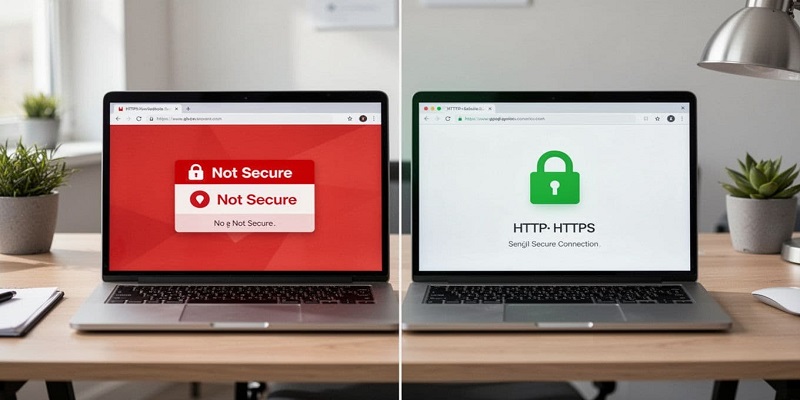
The “one you can see” is the warning or padlock. The “one you can’t” is what happens to your data while it travels. With HTTP, traffic travels in plain text and can be read or changed in transit on risky networks. With HTTPS, the content is encrypted, so it maintains data integrity and casual snooping and tampering get much harder.
How HTTPS Works Step By Step
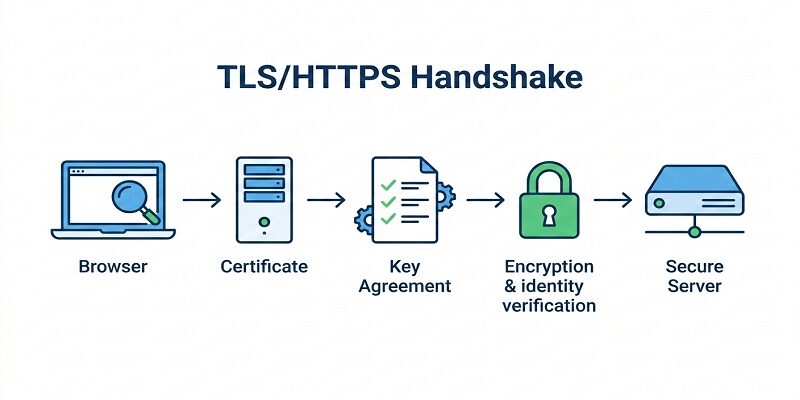
HTTPS Handshake (Simple Step-by-step)
Think of HTTPS like sending alocked box through the mail where only the right receiver can open it. People might see the box, but they can’t see what’s inside.
- You type a website address (URL)
Your browser asks the website for a page. - The website sends its SSL/TLS certificate
This certificate is like an ID card for the domain. - Your browser checks the certificate
It looks for common problems like:- expired certificate
- wrong domain name (mismatch)
- not trusted or not issued correctly
- A secure key is created for this visit
Your browser and the server agree on a session key (a “shared secret”) to lock the connection. - Secure data transfer starts
Now your data is encrypted while it travels, like:- logins
- contact form messages
- payment details
- The secure connection stays on while you browse
Each click and page load keeps using the protected channel until the session ends.
Why the verification step matters (in plain words)
If the certificate iswrong, expired, or does not match the site, your browser warns you because it cannot fully trust it is talking to the right site.
HTTPS setup is more than just the certificate
Even after you install SSL/TLS, you usually still need to:
- set301 redirects from HTTP to HTTPS
- fixmixed content (HTTP images/scripts on an HTTPS page)
- optionally enableHSTS (forces HTTPS)
These can affect crawling and indexing, which is why HTTPS often overlaps with technical SEO work
SSL Vs TLS: What The Certificate Is And Why It Matters
An SSL/TLS certificate is a small file that proves the site controls a domain and helps set up encrypted connections. People still say “SSL certificate,” but TLS is the newer standard—specifically, Transport Layer Security used by modern browsers and servers. A Certificate Authority issues these digital certificates after verifying ownership.

You can get certificates for free or pay for them. Free options are common now, and Let’s Encrypt is a widely used provider. Paid certificates can make sense when you want added validation, warranty terms, or support, depending on your vendor. Transport Layer Security ensures the public key and private key exchange happens securely from the start.
Types Of HTTPS Certificates: Which One You Should Pick
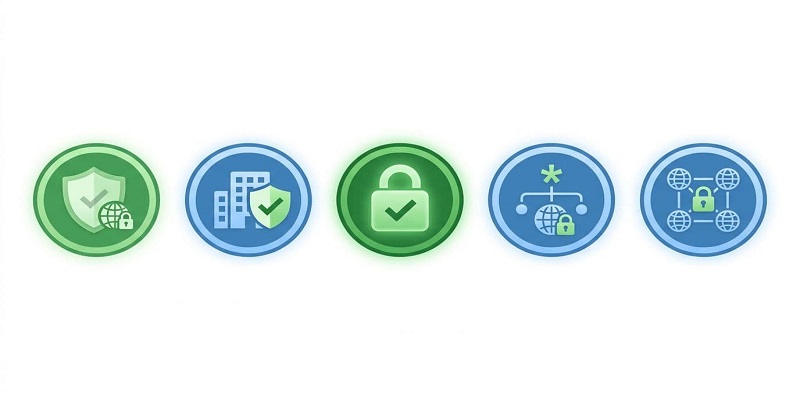
Most choices come down to how much validation you need.
- DV (Domain Validation)
- Best for: blogs, small business sites, landing pages
- Trust level: basic (proves domain name control)
- Speed: often fast to issue
- OV (Organization Validation)
- Best for: businesses that want stronger identity checks
- Trust level: higher (includes organization review)
- Speed: slower than DV
- EV (Extended Validation)
- Best for: larger brands with strict policy needs
- Trust level: highest validation process
- Speed: usually the slowest to get
You may also see Wildcard certificates (secure many subdomains) and Multi-domain certificates (secure multiple domains). They’re add-ons for specific setups, not a requirement for most small sites.
Why HTTPS Matters In 2026: Trust, SEO, And The Cost Of Staying On HTTP
HTTPS helps your site in ways you can feel quickly, especially if you collect leads or payments.
- Encryption: uses modern cipher suites and TLS 1.3 to protect data in transit sent from browsers to your server
- Better SEO signals: Google has encouraged HTTPS for years as a ranking signal, and secure pages often earn more clicks
- User trust: the padlock provides authentication and fewer “Not Secure” scares means more confidence
- Conversions: fewer doubts during forms and checkout
- Protection against simple attacks: harder for attackers on public Wi-Fi to spy or alter traffic or launch man-in-the-middle attacks like SSL stripping on sensitive information
- Lower bounce rate: users stay when the page feels safe
Still, keep one thing clear: HTTPS is not a full security plan. It won’t remove malware, fix weak passwords, or stop a hacked plugin. It only protects the connection.
If you stick with HTTP, you invite problems that hit revenue. Browsers show warnings, and people back out. Leads drop because forms feel risky. Engagement can fall, and that can show up as weaker search performance over time.
For broader protection beyond HTTPS, you also need backups, updates, access control, and monitoring. These website security tips help you build safer habits without getting overwhelmed.
One more detail: public adoption numbers are hard to pin down in 2026 from open sources. Older trend data still shows the direction. For example, among top sites, HTTPS adoption jumped from 2.9% to 9.6% in one year in past measurements, which signals how fast the web moved once browsers started applying pressure.
How to switch from HTTP to HTTPS without breaking your site
A clean migration protects your rankings and avoids scary warnings. Here’s a simple checklist:
- Choose a certificate (DV provides basic authentication for your domain name and is enough for many sites)
- Install it on your web server or CDN
- Force HTTPS with 301 redirects from your web server
- Update internal links to use https://
- Fix mixed content (images, scripts, CSS still loading on HTTP)
- Update canonical tags to HTTPS
- Update your XML sitemap to HTTPS URLs
- Submit changes and monitor in Search Console (this Google Search Console tutorial shows what to check)
- Watch traffic and errors for the next few weeks
If you prefer a direct route, you can buy an SSL certificate, upgrade to HTTPS, and secure your website today with a guided setup that avoids common traps.
Common HTTPS mistakes that cause warnings (and how to avoid them)
A few issues cause most “Not Secure” problems:
- Mixed content (some files still load over HTTP)
- Expired certificate
- Wrong domain on the certificate (mismatch)
- Redirect chains that loop or slow down
- Blocking HTTPS in robots.txt
- Forgetting CDN settings after installing the cert
You can spot trouble fast when the padlock disappears, your browser shows a warning page, or your developer tools show blocked requests. Fix those early, and the warnings usually disappear.
Quick FAQS About HTTPS (Simple Answers)
Is HTTPS free?
HTTPS can be free if your host includes SSL/TLS or you use a free certificate provider like Let’s Encrypt. Paid certificates are also available with added validation or support.
Does HTTPS improve SEO rankings?
HTTPS can support SEO because Google has encouraged HTTPS for years and users trust secure pages more. Better trust can improve clicks and engagement, which helps overall performance.
How do I check if my website uses HTTPS?
Check whether your site loads with https:// and shows a padlock icon in the browser. Test key pages like your homepage, contact page, login page, and checkout if you have one.
Is HTTPS mandatory in 2026?
HTTPS is not legally mandatory for every website, but browsers are increasingly strict about warning users on HTTP pages. For most businesses, HTTPS is the practical standard.
Why should I choose Techeasify for HTTPS migration?
Techeasify can help with HTTPS migration steps like certificate setup, redirect mapping, mixed content fixes, and Google Search Console checks. This helps you switch with fewer errors and fewer ranking risks.
Conclusion
If you’ve been asking “What Is HTTPS“, it ensures a secure connection between your visitors and your site. That means safer logins, safer forms, and fewer trust-killing warnings. It also supports better engagement, which often helps SEO and conversions. The practical answer is yes for almost every business site in 2026.
If you’re a small business owner and you want it done fast, upgrade to HTTPS and get help with the migration details. A clean switch saves you from warnings, lost leads, and avoidable technical mess.