If your traffic reports look messy, you don’t have a traffic problem. You have a tracking problem.
When you post on social, send emails, run ads, and share partner links, it’s easy for visits to blur together. UTM tracking fixes that. It gives you a cleaner way to see which campaigns bring clicks, leads, and sales in Google Analytics.
Key takeaways
- UTM tracking and UTM parameters help you see where traffic comes from
- UTM parameters are small tags added to URLs
- You can build them with a campaign URL builder
- They make Google Analytics campaign reports easier to trust
- Clean naming gives you better data
Watch: Mastering UTM tracking for your links
This video shows how to use a campaign URL builder to organize traffic in Google Analytics 4.
What UTM tracking is and why it matters
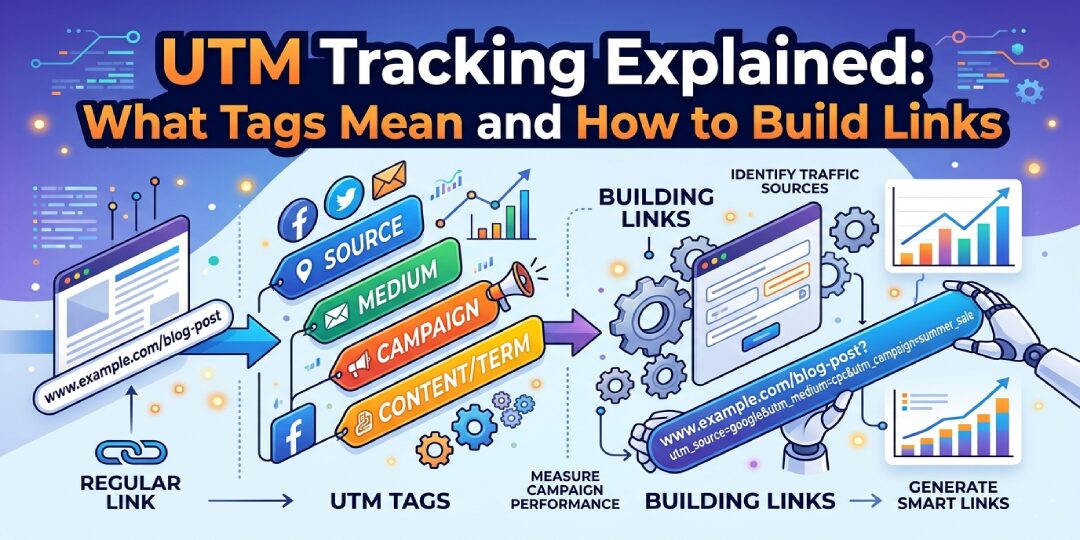
UTM tracking is a simple way to label your links. You add small tags to the end of a URL, and analytics tools read those tags for attribution when someone clicks.
That means you stop guessing. Instead of seeing a pile of traffic, you can see whether a visit came from Facebook, an email newsletter, a paid ad, or a partner campaign. If you already use Google Analytics 4, utm parameters make your reports much more useful.
The simple meaning of UTM tracking
Think of a normal link as a plain shipping box. UTM tracking adds a label to the box.
The destination page stays the same. What changes is the extra information attached to the link, such as utm source, utm medium, and utm campaign. Tools like Google Analytics use those labels to sort traffic into clear reports.
Why you should use it for every campaign
If you run more than one traffic channel, UTM tracking should be standard.
It helps you compare channels, spot your best message, and see which creative version wins. These tags are vital for digital marketing campaigns to see which efforts drive conversions. That’s useful when you’re juggling social posts, email sends, paid search, paid social, and affiliate links at the same time, and UTM tracking keeps it all organized.
What UTM parameters are and what each one does
UTM parameters are the tags you add to a URL. Each one answers a different question about where a click came from.
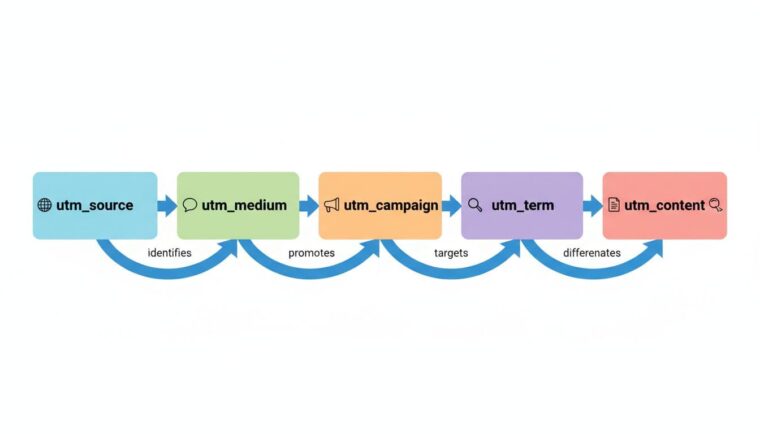
This quick table shows the job of each tag.
| Parameter | What it tells you | Example |
|---|---|---|
utm_source | Where the traffic came from | facebook |
utm_medium | How it got there | social |
utm_campaign | Which promotion it belongs to | spring_sale_2026 |
utm_term | Which keyword or audience triggered it | running_shoes |
utm_content | Which version of the link was clicked | blue_button |
The big win is simple: each UTM parameter adds one useful clue, and together they tell the full story.
utm_source, utm_medium, and utm_campaign
These are the core three utm parameters. If you’re new to UTM parameters, start here.
utm_source tells you the platform or origin, like facebook, google, or newsletter.utm_medium tells you the channel type, like email, cpc, or social.utm_campaign tells you the promotion name, like spring_sale_2026.
If you only use three tags, use these three.
utm_term and utm_content
These two are optional, but helpful.
utm_term is essential for tracking keywords in paid search. You can use it for keywords, audience segments, or ad sets. utm_content helps you tell similar links apart, such as two buttons in one email, two ad creatives, or two versions of a sponsored post.
How the parameters work together in one link
A UTM link isn’t one tag. It’s a group of tags working as a set.
For example, one click might tell you this: the visitor came from facebook, through social, as part of the spring_sale_2026 campaign, and clicked the video_ad version. That’s much better than seeing traffic with no context.
What a UTM code really is
People often say “UTM code,” but that phrase can sound more technical than it is. A UTM code is usually just a normal URL with UTM tags added at the end. Specifically, a UTM tracking code is simply a source/medium identifier at the end of a URL.
A plain URL might look like this: https://example.com/pricing
A tagged URL might look like this: https://example.com/pricing?utm_source=facebook&utm_medium=social&utm_campaign=spring_sale_2026

Why it is really a tagged URL
The page doesn’t change. The tracking details do.
That’s why “tagged URL” is often the clearest way to explain it. You’re not adding a separate tracking script. You’re adding labels to a link.
How UTM tags show up in analytics tools
Analytics platforms read those parameters and group traffic by source, medium, and campaign.
In Google Analytics 4, these tags allow it to populate the traffic acquisition report accurately, ensuring your attribution data is correct. If you use standard values like email or cpc, Google Analytics 4 is more likely to place visits in the right default channel group instead of throwing them into “Unassigned.”
How to build UTM links step by step
Once you understand the parts, building a link is easy. Using a campaign url builder is the easiest way to manage utm parameters. You can do it by hand, with a spreadsheet, or with a UTM code generator.

Start with the page you want to track
Begin with the destination URL. This is the page you want people to land on, such as a product page, landing page, or blog post.
Your tagged link still sends people to that same page. The UTM parameters only add tracking details.
Fill in each parameter with clear names
Use short, readable, lowercase names. That’s the safest habit.
- Pick your base page, like
https://example.com/demo - Add source, medium, and campaign
- Add term or content only if you need extra detail
Example:
https://example.com/demo?utm_source=linkedin&utm_medium=cpc&utm_campaign=q2_demo_push&utm_content=video_v1
That link tells you the traffic came from LinkedIn, through paid clicks, for digital marketing campaigns like the Q2 demo push, from video version 1.
Test the link before you publish it
Always click the final URL yourself.
Check that the page loads, the tags are formatted correctly, and nothing is broken. One small typo can split your data or send visitors to the wrong place.
Never use UTM tags on internal links inside your own site. That can reset session data and mess up attribution.
What a UTM builder is and when you should use one
A UTM builder is a tool that creates tagged links with utm parameters for you. Instead of typing long URLs by hand, you fill in fields and copy the finished link.
If you’ve searched for a campaign url builder, a UTM code generator, or even a “my UTM” link tool, you’re looking at the same basic idea.
One scenario where a UTM builder shines is before using a url shortener like Bitly. Apply utm tracking via a campaign url builder first, so parameters aren’t stripped during shortening.
How a builder saves you time
A good UTM builder speeds up repetitive work.
It also cuts mistakes. You don’t have to remember every ? and & when adding utm parameters, and your team is less likely to use random naming.
What to look for in a good builder
Keep it simple. You want a tool that is easy to fill out, easy to copy, and easy to review later.
For most teams, that’s enough. The best UTM builder is the one your team will use consistently.
Best practices that keep your tracking clean
Good UTM tracking is less about the tool and more about the naming conventions behind it.
Adopt consistent naming conventions
Choose lowercase. Avoid spaces. Use hyphens or underscores.
Adopting consistent naming conventions is part of essential data governance to prevent fragmented data. If one person uses Facebook, another uses facebook, and someone else uses fb, your reports split into separate rows. That’s how good data turns messy fast.
Keep your links organized from the start
Use a shared spreadsheet or naming guide. If multiple people create campaign links, this matters even more.
This is also where a broader measurement setup helps. If you’re pairing campaign reporting with channel performance, digital marketing campaigns can keep tracking tied to real business goals.
Make your labels easy to read later
Name campaigns so they’ll still make sense in three months.
spring_sale_2026 is better than ad1. newsletter_april_week2 is better than link2. If you import cost data from non-Google ad platforms into GA4, utm_id is getting more attention in 2026, but the core habit is the same: clean naming wins. Using UTM parameters correctly helps calculate ROI for long-term projects.
Common UTM mistakes that hurt your data
Most UTM mistakes are small. The problem is that they create long-term reporting issues.
Inconsistent names and mixed casing
Google Analytics 4 is case-sensitive, so it treats facebook and Facebook as different values.
That means one channel becomes two rows, fragmenting your data. The same problem happens with email and Email, or cpc and paid-social.
Missing values and vague labels
If source, medium, or campaign is blank, your report loses context.
Weak labels hurt too, making it impossible to track conversions accurately. A campaign called promo tells you almost nothing when you review results later.
Links that are too long or too messy
You don’t need to tag every detail.
Use the tags that answer real reporting questions. Short, clean labels are easier to manage, easier to copy, and easier to trust in your utm tracking.
Real UTM tracking examples you can copy and adapt
Examples make this easier. Here are three common cases using utm parameters that allow for these specific tracking scenarios.
Social media campaign example
https://example.com/offer?utm_source=instagram&utm_medium=social&utm_campaign=spring_sale_2026&utm_content=story_version_a
This tells you the visit came from Instagram as part of your social media marketing, through social, for the spring sale, from story creative A. If you run Meta campaigns, this pairs well with UTM tracking for Facebook ads.
Email marketing example
https://example.com/new-arrivals?utm_source=newsletter&utm_medium=email&utm_campaign=april_launch&utm_content=top_cta
This works well for email marketing like weekly sends, product launches, and promo sequences. utm_content can separate the top button from the footer link.
Paid ads example
https://example.com/demo?utm_source=google&utm_medium=cpc&utm_campaign=brand_search_april&utm_term=crm_software&utm_content=text_ad_a
Here, utm_term tracks the keyword, and using utm_content is perfect for a/b testing different creative versions. That’s useful when you’re comparing copy, landing pages, or audiences.
Conclusion
Clear campaign data starts with clear links. When you use UTM tracking the right way, you stop guessing and start seeing which channels, messages, and campaigns bring results, leading to better ROI through precise lead attribution where conversions get credited to the right channel.
Keep your tags simple, keep your naming consistent, and test before you publish. If you want help tightening tracking and improving marketing performance, TechEasify can help you turn tracking into better reporting and better decisions.
FAQ: quick answers about UTM tracking
What is a UTM?
A UTM, which stands for urchin traffic monitor, is a small tag added to a URL. It helps you track where visits come from and which campaign drove the click.
When people ask “what is UTM,” the simple answer is this: it’s a label for your link.
Are UTM parameters case sensitive?
Yes, they are. facebook and Facebook can appear as separate values in analytics. That’s why lowercase naming is the safest rule.
Can UTM links hurt SEO?
No, not when you use them properly for campaign tracking. UTM links are common and safe for external marketing links. The bigger risk is using them on internal site links, which can damage attribution data.
Can I use a vanity url with UTMs?
Yes, you can pair a vanity url with UTMs by setting up a 301 redirect from the vanity url to your main destination URL tagged with UTM parameters. This keeps your branded links short and memorable while preserving accurate tracking.
What is the best UTM builder?
The best builder is the one that helps you create clean links quickly and keeps your naming consistent.
For most teams, a simple tool is enough. Accuracy matters more than fancy features. Advanced users might prefer builders that support custom dimensions or crm integration. Note that while auto-tagging works for Google Ads, UTM parameters are still needed for other platforms like social media or email.