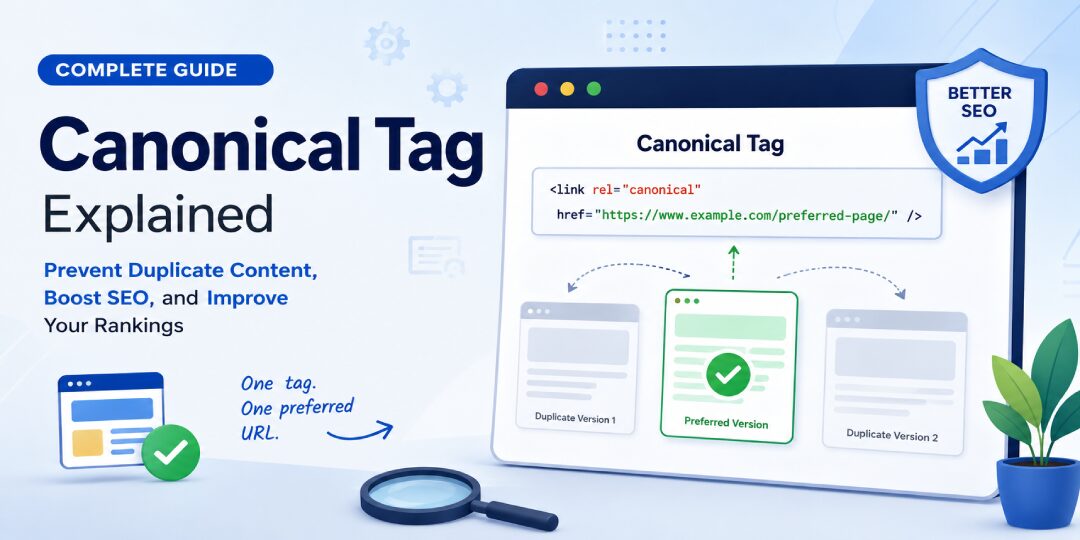
A canonical tag is a vital HTML element that informs search engines which specific URL represents the original version of your content. If your website contains duplicate content caused by parameter URLs, print versions, or complex product filters, implementing a canonical tag effectively eliminates confusion.
Why should you prioritize this? Because search engines prefer clear directives. When multiple URLs display identical information, your rankings may become diluted, crawl budget is wasted, and the wrong page might appear in search results. This is more than a minor technical hurdle. Improper management can negatively impact your traffic, sales, and the overall indexing of your site hierarchy.
If you have ever noticed a single product appearing under five different URLs, you are dealing with a common scenario in canonicalization. Let us make the process clear and actionable.
Need help checking for duplicate content or resolving indexing issues on your live site? Techeasify Infotech can review your current setup and provide professional guidance on what needs fixing.
Key Takeaways
- Consolidate Ranking Signals: Canonical tags act as a crucial signal to search engines, directing them to the preferred, authoritative version of your content to prevent the dilution of ranking power.
- Optimize Crawl Efficiency: By reducing the indexing of duplicate parameter URLs, filters, and print versions, you maximize your crawl budget and ensure that Google spends its time on your most valuable pages.
- Use Absolute URLs: For maximum accuracy, always use the full absolute URL within your canonical tag and ensure it remains consistent across your site structure, including protocols and trailing slashes.
- Avoid Conflicting Directives: Never combine canonical tags with noindex tags, as these mixed signals can confuse crawlers and lead to inconsistent indexing results.
- Prioritize Self-Referencing: Implementing a self-referencing canonical tag on every indexable page is a best-practice strategy that helps search engines maintain clear, unambiguous indexing paths.
What Is a Canonical Tag in SEO?
A canonical tag is a snippet of code placed inside the head section of your page’s HTML code that points to the URL you prefer. This preferred page is referred to as the canonical URL. The tag uses rel=”canonical” to tell search engines that they should treat this specific version as the authoritative one.
Think of it like putting one label on a stack of near-identical folders. The contents may overlap, but you are telling Google which folder matters most for indexing.
How search engines treat duplicate and very similar pages
Search engines often discover duplicate or near-duplicate pages without you intentionally creating them. URL parameters, sort options, uppercase letters, trailing slashes, and differences between HTTP and HTTPS can all produce multiple versions of the same content.
A canonical tag helps consolidate these versions. Instead of spreading your ranking signals across five different URLs, you provide search engines with one primary destination. If your category page exists as /shoes, /shoes?sort=price, and /shoes?utm_source=email, the main page should usually be the canonical target.
If the concept still feels abstract, this TechSEO discussion explains it the way many site owners first understand it.
What Google canonicalization means in practice
Google can choose a canonical page even when you do not set one correctly, or at all. Your canonical tag is a strong hint, not a command. Internal links, redirects, your XML sitemap, and page similarity all act as signals that influence the final choice of the canonical URL.
Google covers these requirements in its canonical URL documentation. If your tag points to one location but your site structure suggests another, Google may ignore the tag and select a different page as the primary version.
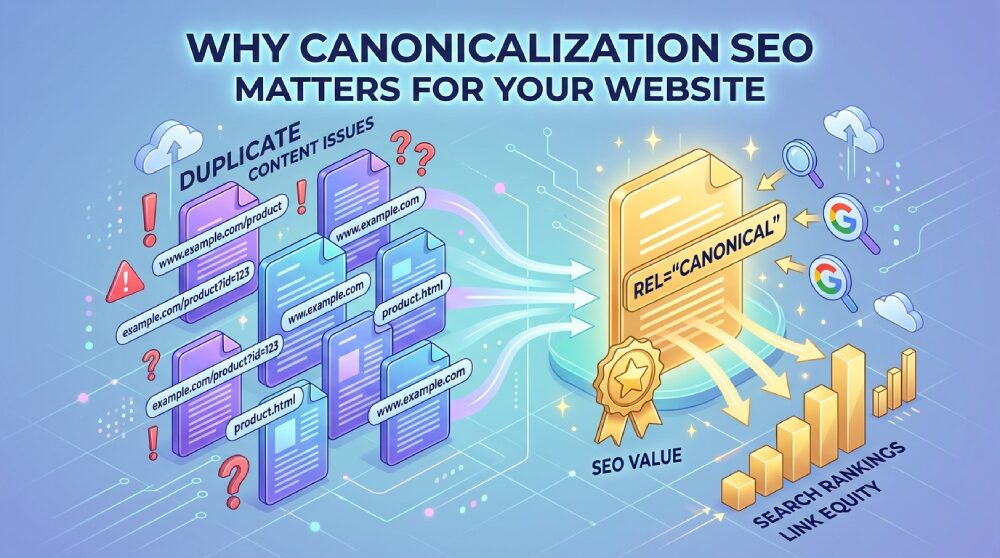
Why Canonicalization SEO Matters for Your Website
Canonicalization sounds technical, but the payoff is simple. You protect your rankings, solve duplicate content issues, and ensure your indexing process remains clean and efficient.
How canonical tags protect rankings and crawl budget
When Googlebot spends time crawling hundreds of duplicate URLs, it wastes resources that should be used for pages that actually matter. This limited resource is known as your crawl budget. By using canonical tags, you direct search engine crawlers toward the primary version of a page.
This process is vital for preserving link equity. When multiple versions of a page exist, the authority or PageRank gets diluted across them. By consolidating these signals toward one preferred URL, you ensure the original version ranks as strongly as possible. On larger sites, identifying these issues is a key part of any technical SEO audit, as these problems often hide deep within site templates and automated parameter rules.
Why ecommerce sites need canonical tags more than most
Ecommerce websites generate duplicate content at an alarming rate. A single product may appear in multiple categories, or filtered collections may create dozens of near-identical URLs. Furthermore, tracking parameters often multiply this mess by generating unique, yet redundant, web addresses for the same page.
If your main category page is /mens-shirts, but users can also reach it through color filters, sort options, and marketing URL parameters, you do not want all of those versions competing for indexing.
This becomes even more critical when products fluctuate in availability. One wrong canonical target can push an out-of-stock version into search results, effectively burying the page that is meant to drive conversions. Consistent canonicalization ensures that your best content remains the face of your brand in search engines.
How to Add a Canonical Tag the Right Way
You do not need to overcomplicate this process. Most technical setups come down to three simple steps:
- Pick the preferred URL that should represent the page in search results.
- Place one canonical tag in the head section of your page.
- Use the exact absolute URL every time to ensure accuracy.
The canonical tag syntax you should use
The standard format for this HTML code looks like this: <link rel="canonical" href="https://example.com/page/" />
Each part of this meta tag structure matters. You must use an absolute URL rather than a partial one. That means your link should be https://example.com/page/ instead of just /page/. Furthermore, the canonical URL must match your preferred version exactly, including the protocol, subdomain, and specific trailing slash style.
For a clean walkthrough, Moz has solid canonical tag examples and best practices.
WordPress, Shopify, and custom website examples
WordPress often adds a canonical tag automatically through your SEO plugin or theme. Shopify usually handles many core canonicals out of the box, but apps, collection filters, and custom templates can still cause issues if you are not careful.
Custom-built sites are where things often get messy. If your templates generate multiple versions of the same page, you may need development help to set rules properly. That is where site structure matters just as much as the tag itself.
When to use a self-referencing canonical tag
A self-referencing canonical tag is a best practice where the main page points to itself as the primary version. This is usually the safest default for any indexable page you want in search results.
For example, if https://example.com/blue-sofa/ is the correct product URL, that page should canonically point back to https://example.com/blue-sofa/. Using a self-referencing canonical tag keeps your indexing signals consistent and cuts down on ambiguity for search engine crawlers.
Common Canonical Tag Mistakes That Can Hurt SEO
A canonical tag can help your site, but a bad one can do the opposite.
Mistakes that confuse search engines
The biggest problems are predictable. You might point the canonical tag to the wrong page, add more than one tag, or send it to a broken URL. Google has also warned against putting the tag outside the <head>, forcing every paginated page to canonicalize to page 1, or creating conflicts where your canonical tag contradicts directives in your robots.txt file.
If one page contains multiple canonical tags, search engines may ignore all of them.
Another critical error is using a noindex directive on the same page where you have implemented a canonical tag. These instructions send mixed signals to crawlers, and you should generally avoid combining them. Additionally, do not canonicalize to an unrelated page. If two pages are not duplicates or close variations, do not attempt to merge them with a canonical tag.
Signs your canonical setup may be broken
Watch for pages that will not index, the wrong URL ranking, or Google picking a different canonical than the one you set. Parameter pages appearing in search results are another red flag. You should also be wary of a canonical chain, where page A points to B and B points to C.
To identify these indexing errors and resolve a complex canonical chain, use the URL Inspection tool in Google Search Console. It provides direct feedback on how Google interprets your pages. If these issues keep popping up, Techeasify Infotech can audit the templates, parameters, and internal signals behind them. That usually finds the root problem faster than checking pages one by one.
Canonical Tag vs Redirect vs Noindex, Which One Should You Use?
These tools solve different problems. Here is the quick version:
| Option | Best use | What users see | What search engines get |
|---|---|---|---|
| Canonical tag | Similar pages that should share one preferred URL | Users stay on the current page | A hint about the original version |
| 301 redirect | Old or replaced pages | Users move to the new page | A clear page move |
| Noindex | Pages you don’t want in search | Users can still access the page | A request to leave it out of results |
A canonical tag does not replace a 301 redirect. A 301 redirect changes where the page lives permanently. A canonical tag keeps the page live but tells search engines which page is the original version that should be indexed.
When a 301 redirect is better than a canonical tag
Use a 301 redirect when a page has been moved, merged, or retired. If /old-service-page is gone and /seo-services is the replacement, use a 301 redirect to send traffic there. Do not leave both pages live and try to patch the issue with a canonical tag, as this creates unnecessary duplicate content signals.
When noindex is the better choice
Use noindex when a page should not appear in search at all, such as internal search results, thin utility pages, or sensitive account pages. You should avoid mixing a noindex directive and a canonical tag on the same page. If the page should stay out of search engine results, treat it that way by using the noindex tag exclusively.
How to Audit Your Canonical Tags Before They Cause Bigger Problems
A clean canonical setup supports better indexing and stronger SEO performance. By proactively managing your tags, you can prevent issues before they impact your site health. You do not need fancy software to catch the basics of your implementation.
A simple canonical audit checklist
Check these items first to ensure your site architecture is optimized:
- Each indexable page has exactly one canonical tag.
- The canonical URL returns a live 200 status code.
- The target URL is not blocked by robots.txt and is not marked with a noindex tag.
- Protocol, host version, and trailing slash format remain consistent across the site.
- Internal links consistently point to the same preferred URL to avoid confusing search engines.
- Parameter, pagination, and duplicate content patterns are managed correctly to prevent site-wide issues.
- Remember that while most canonicals are defined via a meta tag in the HTML, you can also set a canonical via an HTTP header for non-HTML files like PDFs.
Tools that can help you find problems faster
Start with the browser source view, where you can see whether the canonical tag exists and where it points. Next, use a dedicated crawler to scan the whole site to spot duplicates, broken targets, and redirect chains. Finally, finish your audit in Google Search Console. You can use the URL inspection tool there to compare your preferred canonical with the one Google has selected for indexing, which helps you verify that your chosen version is being recognized correctly.
Should You Handle Canonicalization Yourself or Hire an SEO Agency?
That depends on how messy your site is.
When you can manage it on your own
DIY is usually fine when you have a small site, a simple CMS, and only a few page templates. If you can inspect source code, check Search Console, and you do not have complex URL parameters or massive amounts of content to manage, you can handle most canonical tag issues yourself.
When a technical SEO expert is worth the cost
If you run a large ecommerce store, a multi-location site, or a custom CMS, expert help often pays for itself. You should consider bringing in a specialist for sites that handle faceted navigation, complex international hreflang implementations, or syndicated content that requires careful cross-domain canonicalization. The same applies to sites with duplicate category structures or frequent template changes, where managing URL parameters at scale becomes a significant technical burden.
Pricing usually depends on page count, platform complexity, how many duplicate patterns exist, and whether the agency only provides an audit or also assists with implementation.
Questions to ask before you hire
Ask direct questions. How deep is the audit? Will they fix templates or only send a report? Have they worked on WordPress, Shopify, or your specific CMS before? Will they monitor indexing results after deployment?
Also compare what you are buying. General SEO services, technical SEO services, and broader digital marketing services are not the same thing. If your main problem is duplicate URLs and indexing, Techeasify Infotech is one option worth comparing for technical SEO support and implementation guidance.
Conclusion
A well-implemented canonical tag is essential for consolidating your ranking signals and preserving your link equity across your domain. By clearly directing search engines to your preferred version of a page, you effectively eliminate duplicate content issues and ensure your most valuable pages receive the visibility they deserve.
If your site is struggling with indexing challenges, complex filtered URLs, or the wrong pages appearing in search results, Techeasify Infotech can review your canonical setup and provide a practical plan to fix your technical SEO.
FAQ
What is a canonical tag in SEO?
It is a snippet of HTML code placed in the page head that uses the rel=”canonical” attribute to tell search engines which URL is the preferred version of your content.
What is canonicalization SEO?
It is the process of selecting a single canonical URL to represent a set of duplicate or near-duplicate pages, which helps search engines understand which version should be prioritized for indexing.
When should you use a canonical tag?
You should use one whenever multiple live URLs display the same or very similar content. This approach prevents duplicate content issues and ensures that the desired page receives the majority of ranking signals.
What is the difference between a canonical tag and a 301 redirect?
A canonical tag acts as a hint to search engines while allowing both pages to remain live. In contrast, a 301 redirect permanently moves users and search engines to a new location, effectively replacing the old URL.
Can a canonical tag fix duplicate content issues?
It is highly effective for consolidating duplicate content, but it may not resolve every case if your internal linking structure or existing site configuration conflicts with your chosen canonical URL.
How do you check if your website has canonical tags?
You can open the page source code, search for the rel=”canonical” attribute, and confirm that the assigned URL correctly points to the primary version of your content.
Does every page need a canonical tag?
Most indexable pages should include one, and it is best practice to use a self-referencing canonical tag on the preferred URL to ensure search engines have clear guidance regarding which version to include in their index.
What happens if a canonical tag is set incorrectly?
If a tag is implemented improperly, search engines may ignore your preference, index the wrong URL, split your ranking signals across multiple pages, or fail to rank the content you intended to promote.