




Key Takeaways
- A GMB Profile (formerly Google My Business) is free to set up and manage
- It helps you show up in Google Search and Google Maps
- Setup usually takes about 30 minutes
- You must verify your business before it fully shows
- Staying active with posts, reviews, and photos, plus profile completion, helps rankings in 2026
You Have A Great Business, So Why Are Competitors Showing Up Instead Of You?
Your GMB Profile can be the difference between getting the call and losing it. When nearby customers search, they often pick from the local search results they see first on Maps. If your listing is missing, incomplete, or unverified, Google may show competitors who are winning with Local SEO. Not sure what “GMB� stands for? This quick breakdown of the GMB full form clears it up.
This guide breaks down what a google business profile is, where it shows in the Map Pack, and how to build one the right way. You’ll also learn how to optimize it for 2026, when Google AI answers questions fast and pulls details straight from your business info.
If you’ve ever thought, “I already have a website, why isn’t that enough?”, you’re not alone. Maps results work like a storefront window. What’s in the window is what gets foot traffic.
What A GMB Profile Is In 2026 (And Where It Shows Up)
A GMB Profile is your business listing that you control inside Google. It was formerly called “Google My Business”, and now it’s Google Business Profile. People still say “google my business profile” because the old name stuck.
You’ll see your profile show up in three main places: Google Search (including the Knowledge panel), Google Maps, and the Local 3-Pack (the three listings shown near the top for many local searches). That’s where the phone calls and direction requests happen.
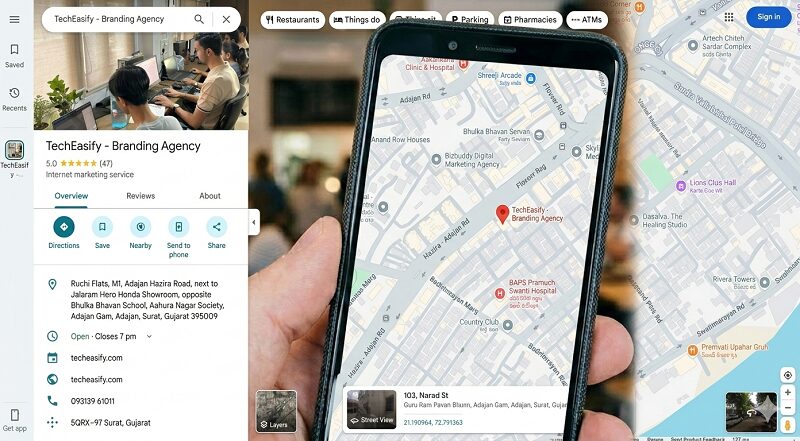
One big 2026 shift is simple: Google AI can pull answers from your profile content. That means your services, Attributes, photos, and reviews don’t just help people, they also help Google explain your business. For deeper background on ranking factors and how optimization works, see the Whitespark Google Business Profile guide.
Why A Google Business Profile Matters More Than Ever In 2026
Google handles over 13.7 billion searches per day as of February 2026. Also, 46% of searches have local intent, which means almost half the time people want something nearby.
That’s why your profile can drive real outcomes for Local SEO, not vanity views. When your listing appears in local search results, people can tap to call, click to your site, request directions, or walk in.
If you want Google Business Profile optimization, you need to think beyond “fill out the basics.” In 2026, Google’s AI experiences in Search and Maps use your business info, photos, and customer reviews to answer questions quickly. A complete profile gives Google more to work with, and it gives customers fewer reasons to hesitate.
How To Create A Google Business Profile Step By Step (With Verification That Actually Works)
Follow these steps in order. Keep everything real and consistent, because messy setups trigger edits, delays, or suspensions.
1. Go to Google Business Profile Manager (business.google.com)
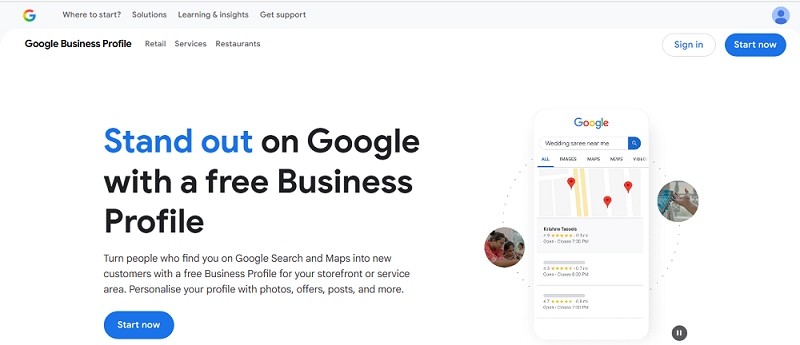
2. Sign in with your Google account
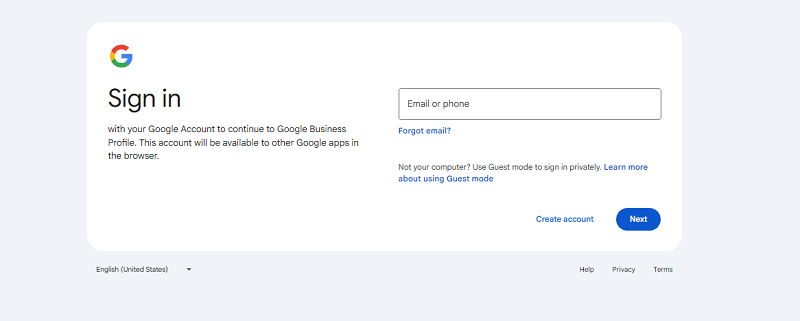
3. Enter your business name (and claim it if it already exists)
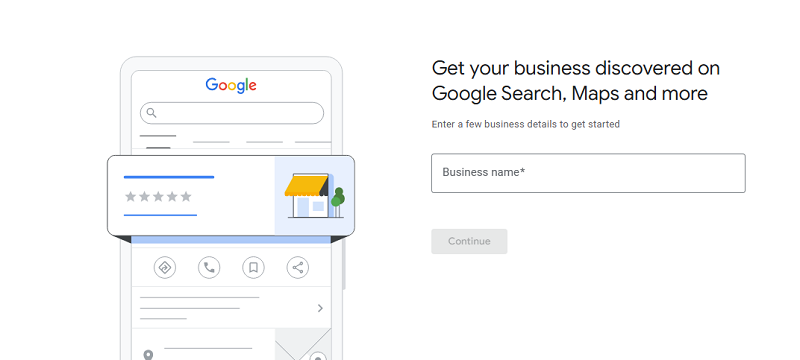
Use your real-world name as it appears on signage and invoices. Don’t add extra keywords like “Best SEO Expert in Surat” That’s a guideline risk.Â
4. Choose your business category (why it impacts rankings)
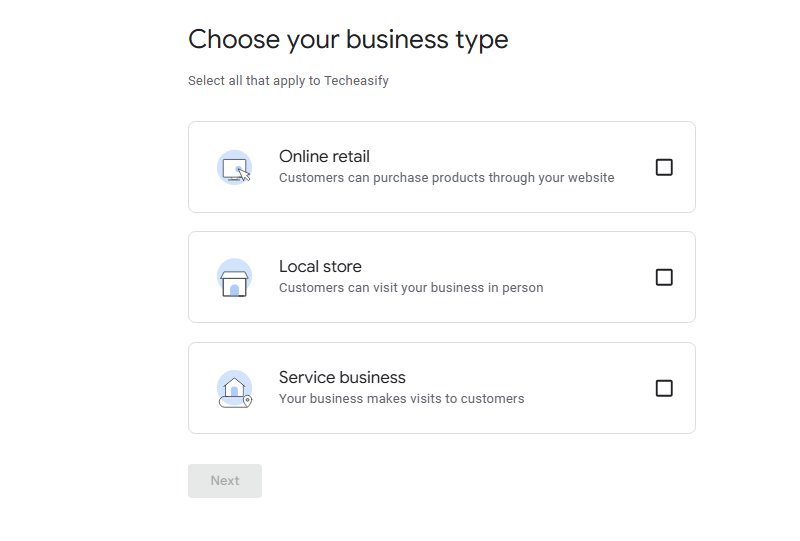
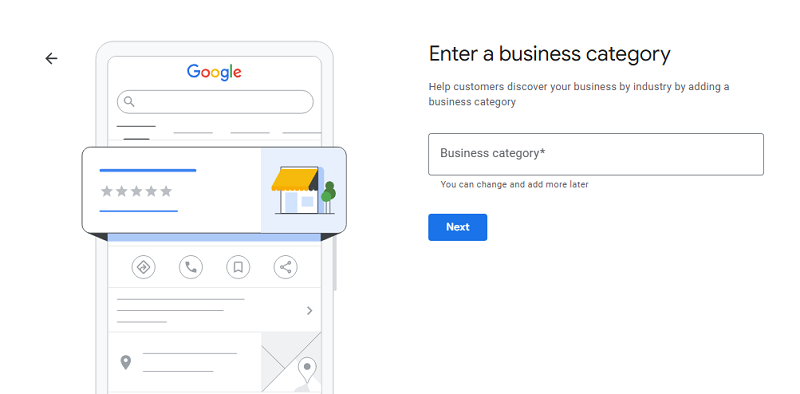
Category choice is one of the biggest ranking levers, so take it seriously. Pick the closest match for your primary category, then add secondary categories later if they fit.Â
5. Add your location or service area (storefront vs service-area business)
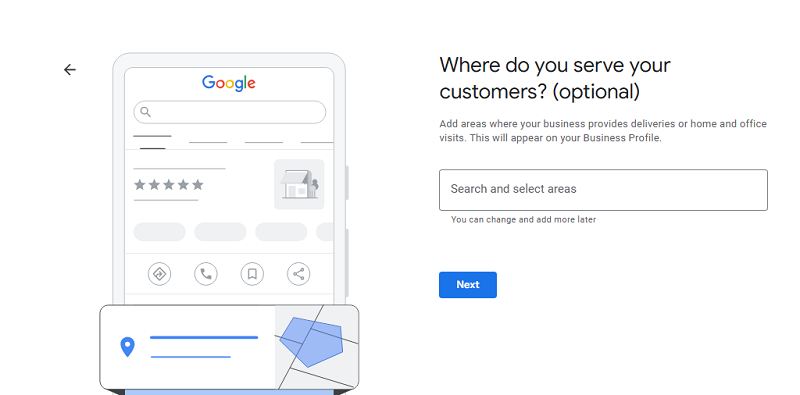
If you serve customers at their address (like a locksmith), you usually hide your address and set service area. If you have a storefront with a physical address, your address must match what’s on your website and directories.Â
6. Add phone number and website
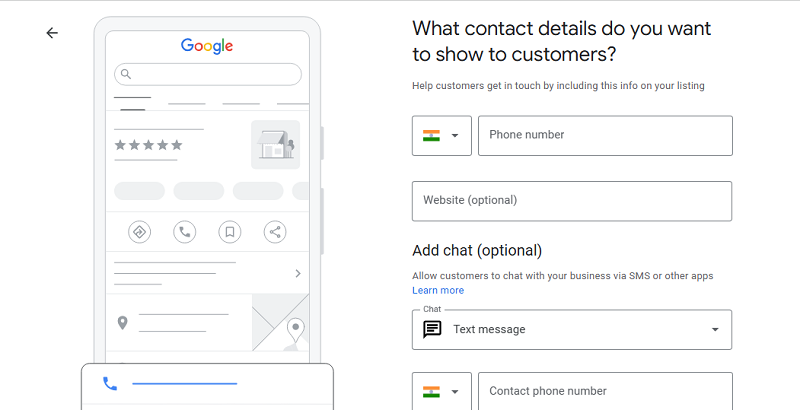
Make sure your NAP information (name, address, phone) matches everywhere else online, including local citations. Inconsistent data can hold you back.Â
7. Verify your business (what to expect)
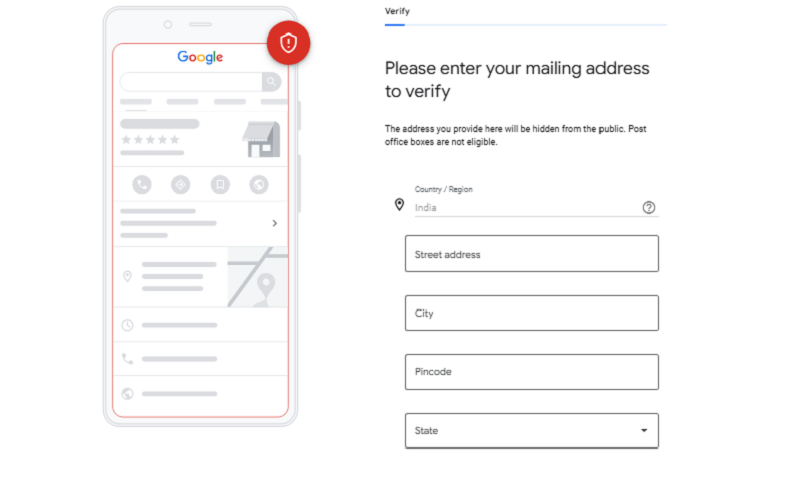
This is where many owners get stuck. To claim and verify ownership, you’ll complete the method Google offers. Postcards often take 5 to 14 days to arrive with the verification code; other options can include phone, email, video, instant, or live video.
If you want extra help with this part, use Techeasify’s Google Business Profile verification guide.
Keep your business name and address stable while you verify. Big edits during verification can reset the process.
8. Complete your profile details
Add Your Service Details
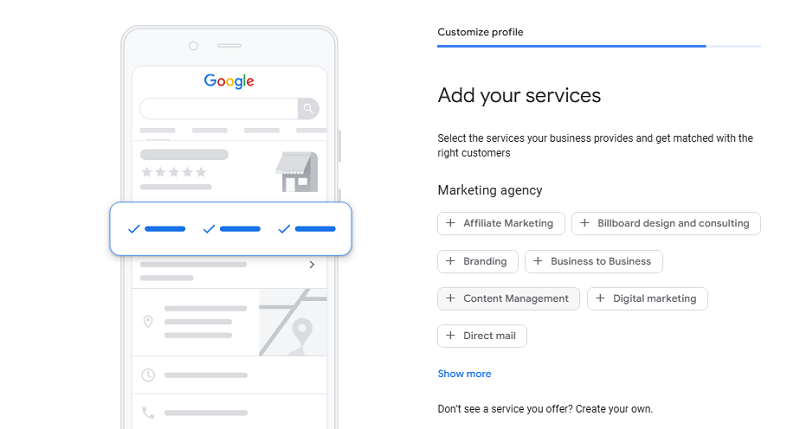
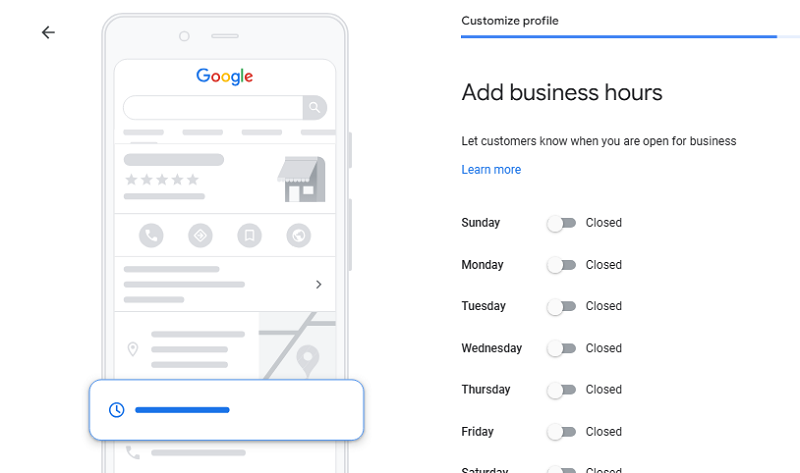
Add Business Hours
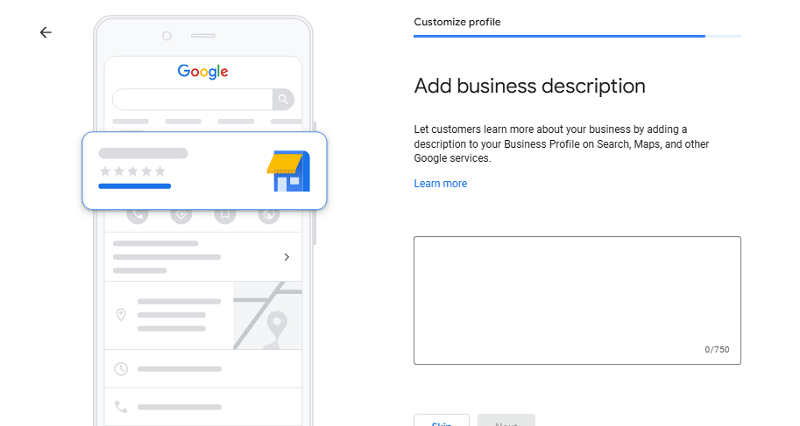
Add Business Description
Add Storefront PhotoÂ
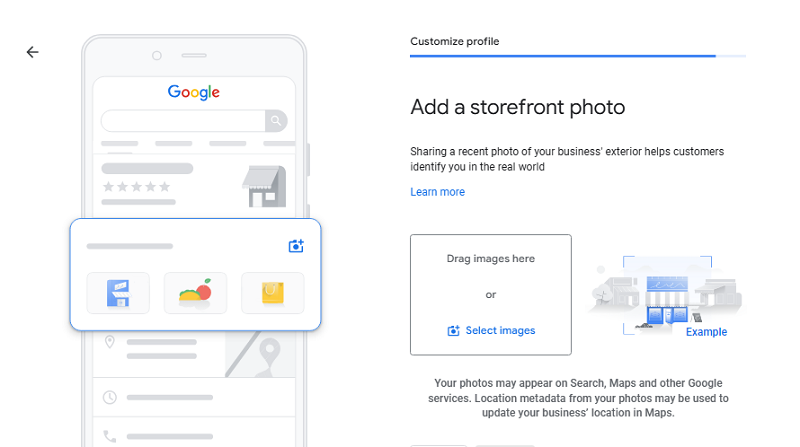
Fill everything you can for profile completion, including business description, services, attributes, and business hours. In 2026, completeness helps both rankings and AI answers.
How To Optimize Your GMB Profile For Higher Rankings And More Calls
Treat your Google My Business profile like a living page, not a one-time task. Here’s what works with 2026 behavior (AI answers, freshness, and engagement):
- Business description: Add your city, core service, and what sets you apart in plain language. Don’t cram keywords.
- Services list: Add your main services with 1 to 2 sentences each. A plumber can list “water heater replacement” and add a short price-range note, if it’s accurate.
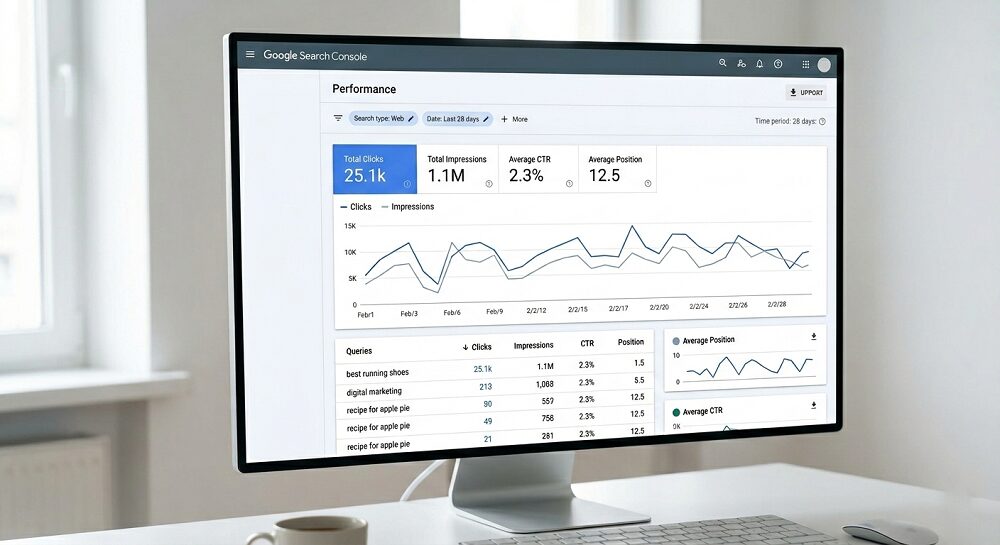
- Business photos: Post new photos often. Google AI reads photo content for relevance, and steady photo activity often lines up with more clicks and calls, which you can track in your GMB Insights.
- Customer reviews: Ask customers right after a win. Respond to every review, especially negatives, and keep it calm and specific.
- Google Posts: Post once a week because posts age out fast. A simple update plus a photo is enough.
- Messaging and booking: Turn them on if available and if you can respond quickly. Slow replies can hurt trust.
- Hours (especially holidays): Update your special hours early, since wrong hours cause bad reviews.
When you’re managing your my business profile, keep a simple goal: answer common customer questions before they ask.Â
Common GMB Profile Mistakes That Quietly Hurt Your Visibility
- Keyword-stuffed business name: It can trigger edits or suspensions.
- Wrong Business category: You’ll show for the wrong searches.
- Not verifying: You’ll stay limited, and sometimes invisible.
- Inconsistent NAP information: Google gets mixed signals about your business.
- Ignoring customer reviews: You lose trust and momentum.
- No new business photos or posts: Your listing looks stale.
- Leaving Attributes blank: You miss easy relevance wins.
- Not updating hours: Holiday hours matter most.
Fix it now: correct your business name first, then finish verification.
GMB Profile Vs Google Ads: What’s Different, And When To Use Both
Your Google Business Profile is free and earns organic visibility in local search results for local intent searches. Google Ads are paid, and they can put you in front of buyers fast. A smart combo is using the profile for trust and calls, then running Ads for high-intent keywords and limited-time promos.
If you’re stuck on tracking, categories, or suspensions, you may want to hire local SEO expert help instead of guessing.
How Techeasify Can Help You Get Found On Maps Without Guesswork
If you want hands-on help, Techeasify can handle the setup, cleanup, and ongoing optimization work that keeps your Google Business Profile strong, even for multi-location brands. That includes audits, category guidance, service list buildout, a review response playbook, weekly posting plans, photo strategy, and tracking improvements over time with GMB Insights.
This is real client work with hands-on optimization, not generic advice. If you’re comparing options, this is the kind of support you expect from a best GMB optimization agency, especially if you need a practical GMB profile setup service. You can also pair this with broader growth support through Techeasify’s digital marketing services.
Frequently Asked Questions About GMB Profiles
1) Is a Google Business Profile really free?
Yes. It is free to create and manage your listing. Google Ads are separate, and you only pay if you choose to advertise.
2) How long does verification take?
Postcard verification typically takes 5 to 14 business days. Depending on your business, you might also see phone, email, video, or instant verification.
3) What types of businesses can use it?
Storefronts and service-area businesses can both use it. For example, restaurants, salons, dentists, HVAC companies, and mobile locksmiths can all qualify.
4) Why isn’t my profile showing on Maps?
The most common reason is not being verified. It can also be too new, set to a broad category, or tied to inconsistent name, address, and phone data. Low activity can slow visibility too.
5) Does the old Q&A still matter in 2026?
The classic Q&A feature has changed a lot, and AI answers now fill that role. Google may pull answers from your profile, photos, reviews, and website, so keeping your info complete matters even more.
Conclusion
You can set things up fast, but consistency wins for Local SEO in 2026. Start by claim and verify your Google My Business listing, completing every field, and keeping it active with reviews, photos, and weekly posts. Those three habits help you show up more often, and convert more of the people who find you.
If you want help cleaning things up or building a simple plan, ask for a free Google Business Profile consultation and get clear next steps you can follow this week. Your next customer is already searching, so make sure your Google Business Profile is ready.
