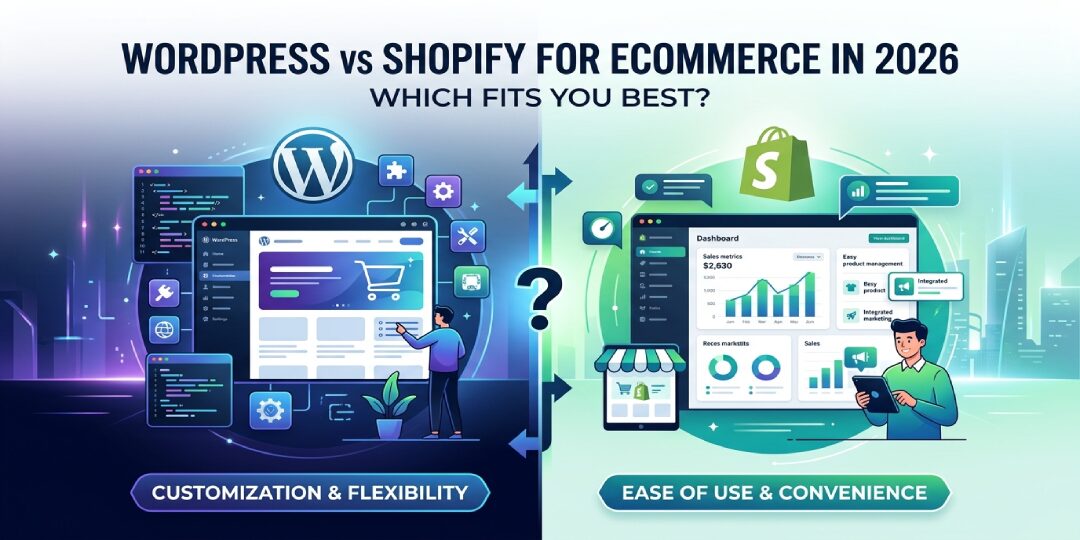
In 2026, as AI-driven commerce and automation become standard, choosing the right foundation for your online store is more critical than ever. Choosing the wrong store platform can waste months, drain your budget, and box you into bad decisions later. If you’re weighing WordPress vs Shopify, you’re probably trying to avoid that exact mistake.
This guide compares setup, pricing, SEO, design, support, security, and long-term growth. WordPress is a flexible CMS, and you add WooCommerce to sell online. Shopify is a hosted ecommerce platform built from the ground up for online stores.
TL;DR: Shopify delivers an easier path for most beginners, quicker launches, and robust built-in tools that scale seamlessly into 2026. WordPress excels when you need full control over content, SEO, and custom features for unique business needs.
The hard part isn’t picking the “best” platform. It’s picking the one that fits how you want to run your store in 2026.

What WordPress and Shopify actually are, and why that matters for your store
WordPress is a content management system, specifically an open-source CMS. In April 2026, W3Techs reports it powers 42.5% of all websites. On its own, though, WordPress is not a store platform. You need WooCommerce, plus hosting, plugins, and setup work, to turn it into ecommerce.
Shopify works differently. It’s a SaaS platform and a fully hosted ecommerce platform, which means hosting, checkout, security basics, and store infrastructure come built in. In 2026, Shopify holds about 10% to 11% of the global ecommerce platform market, and its share is much stronger among top online stores.
That difference matters because it shapes your day-to-day workload. WordPress gives you freedom, but you manage more moving parts. Shopify gives you convenience, but you trade some control for speed and simplicity. If you need help building either path, working with Shopify development services or experienced ecommerce website development can save time and costly mistakes.
Takeaway: If you want ownership and flexibility, WordPress stands out. If you want less tech work, Shopify usually wins.
Quick comparison table, WordPress vs Shopify at a glance
If you want the short answer first, this table makes the tradeoff clear.
| Feature | WordPress + WooCommerce | Shopify |
|---|---|---|
| Ease of use | Medium to hard | Easy |
| Pricing | Varies by hosting, WordPress plugins, help | Fixed plans, plus apps and fees |
| SEO | Deep control | Strong basics, less URL control |
| Customization | Very high customization options | High, but more platform limits |
| Security | You manage it | Mostly managed for you |
| Support | Community or hired experts | 24 by 7 platform support |
| Ecommerce features | Flexible with plugins | Built in with Shopify themes, store-first |
| Hosting | You choose and manage | Included |
Takeaway: Shopify is simpler out of the box, while WordPress gives you more room to shape the store your way.

Ease of use and pricing, where each platform feels simple or gets expensive
Shopify usually feels easier because the store foundation is already there. You sign up, pick a theme, add products, connect payments, and start testing. The dashboard is clean, and most beginners understand it fast. In many client builds, Shopify cuts early setup time because hosting, checkout, SSL, and core store settings are already handled.
Why Shopify feels easier when you want to launch fast
Shopify is built for merchants, not site admins. Its editor feels close to drag-and-drop, and daily tasks are simple. You spend less time fixing plugin conflicts and more time selling. Still, as your store grows, apps can stack up and make the backend messier than it looked at first.
What WordPress really costs once you add WooCommerce, hosting, and plugins
WordPress software is free, but your store isn’t. You still pay for web hosting, a domain name, a theme, backups, security tools, payment plugins, and often some developer time, plus WordPress plugins required for advanced functionality. In real SMB builds, total yearly cost often lands between $560 and $3,115, depending on your setup.
Shopify pricing is easier to predict. Its monthly subscription tiers start around $29, $79, and $299 per month, while monthly billing can run higher. Then add app costs, premium themes, and transaction fees if you use third-party providers instead of Shopify Payments.
Sticker price rarely tells the full story. Your real cost is the total cost of ownership, not the entry plan.
Takeaway: Shopify is easier to budget and launch, while WordPress can be cheaper or much costlier, depending on how custom you go.
Ecommerce features and SEO, which platform helps you sell and get found
Shopify has a strong store-first feature set. You get a polished checkout process, inventory management tools, discount rules, abandoned cart support, multichannel selling, and native Shopify Payments. It also keeps expanding with AI help, including Sidekick, which can speed up admin tasks and reporting.
Store features that make Shopify strong for fast-growing brands
Shopify’s biggest strength is momentum. You can add apps from the Shopify app store, sync sales channels, and manage orders without stitching together too many systems early on. The app store offers thousands of apps, so you can extend the platform as you grow. That’s useful when your team is busy and needs quick wins. For sales features like inventory management, payment gateways, and a smooth checkout process, Shopify provides reliable built-in options that scale well.
Dropshipping: Shopify vs WooCommerce
Dropshipping is a popular model for ecommerce beginners, and Shopify shines here with seamless integrations like DSers for suppliers such as AliExpress. WooCommerce offers flexibility through plugins, but it requires more setup to match Shopify’s plug-and-play ease.
Where WooCommerce gives you more freedom for checkout, payments, and content SEO
WooCommerce is more open. You can support custom product types, shape the cart and checkout more deeply, and connect a wide range of payment gateways. WooCommerce also doesn’t add its own platform transaction fees, which matters if you already have a preferred payment stack.
For SEO, WordPress usually gives you more control. You can shape metadata, schema, internal linking, blog structure, and URL patterns with fewer platform limits. Shopify handles core SEO basics well, but its URL structure is more rigid, especially for products and collections. If SEO matters as much as store setup, SEO services in India can help you build the right technical and content plan from day one.
On scalability for enterprise-level stores, Shopify Plus offers dedicated resources and high-volume tools, while high-tier managed WordPress hosting provides similar power with WooCommerce customization.
Performance also matters. In 2026, Shopify stores show a 52% to 58% Core Web Vitals pass rate on average. WordPress and WooCommerce stores tend to land around 38% to 42%, unless you invest in strong hosting and careful optimization.
If your business follows a content-led growth plan, the article on what is D2C marketing is a useful next read.
Takeaway: Shopify is stronger for quick selling, while WordPress is stronger when content depth and SEO control matter more.
Design, security, support, and the final choice for your business in 2026
Shopify makes branded design easier for non-technical teams. Polished Shopify themes and Liquid provide strong customization options for developers. Still, if you want deep structural changes, Shopify can feel narrower.
WordPress gives you near-total design freedom because you control the code, theme stack, and plugin logic. That freedom is powerful, but it also asks more from you or your developer. If your store needs custom layouts or advanced builds, ecommerce website development can help you create a cleaner setup.
Security is another clear split. Shopify handles SSL certificates, PCI support, hosting, and core updates for you, ensuring robust website security. With WordPress, your security depends on your host, plugins, backups, 2FA, and maintenance habits, often requiring consistent developer support. Many stores need 2 to 4 hours of upkeep each month just to stay healthy. Support follows the same pattern. Shopify gives you 24/7 platform support and mobile apps for on-the-go store management. WordPress gives you community help, or paid expert support if you hire it.
Both platforms make it easy to sell digital products.
Choose Shopify if you want less tech work and a smoother path to launch
Choose Shopify if…
- You want to launch fast.
- You don’t want to manage hosting or updates.
- You want built-in ecommerce tools.
- You value reliable support and stable performance.
Choose WordPress if you want full control over SEO, content, and custom features
Choose WordPress if…
- You need deep customization.
- You publish lots of content.
- You want more control over URLs and site structure.
- You already have developer support, or plan to hire it.
Takeaway: Shopify is the safer default for most growing stores, but WordPress wins when control matters more than convenience.
FAQ, common questions about WordPress vs Shopify
Is Shopify better than WordPress for ecommerce?
Shopify is better for most store owners who want speed, less setup work, and simpler support. It gives you hosting, checkout, and store basics in one place. WordPress can be better if your store depends on custom workflows, content-heavy SEO, or unusual product logic.
Can I use WordPress for ecommerce instead of Shopify?
Yes, you can. WordPress becomes an ecommerce platform when you add WooCommerce. That setup can work well for content-led brands, custom stores, and teams that want full control. The tradeoff is that you handle more setup, maintenance, and security work.
Which platform is cheaper, WordPress or Shopify?
It depends on how you build. Shopify has clearer monthly pricing, so you can forecast costs faster. WordPress can start cheaper, but costs rise when you add premium hosting, WordPress plugins, maintenance, and developer help. Over time, both can become expensive if your store gets complex.
Is WordPress or Shopify better for SEO in 2026?
WordPress usually gives you more SEO control, especially for blogs, landing pages, schema, and URLs. Shopify still covers the basics well and often performs better out of the box. If your SEO strategy depends on content depth, WordPress has the edge. If you want solid basics with less work, Shopify is easier.
Can I migrate from WordPress to Shopify, or vice versa?
Yes, but migration always carries SEO risk. Product URLs, category paths, image paths, and blog slugs often change. You need a proper redirect map, especially 301 redirects, to protect rankings and traffic. A rushed migration can break pages, weaken internal links, and hurt organic visibility for months.
Do I need a developer to set up a Shopify or WordPress store?
Not always. You can launch a basic Shopify store yourself if your needs are simple. WordPress usually asks for more technical help, even on small builds. Once you want custom design, SEO cleanup, speed work, or advanced checkout changes, developer support becomes much more useful on either platform.
Why trust this comparison: This view comes from real ecommerce build experience at Techeasify Infotech, across both Shopify and WordPress projects for growing businesses.
Verdict
Choose Shopify if you value speed and a managed SaaS platform. Choose WordPress if you need an open-source CMS with total customization options.
The best answer to wordpress vs shopify depends on how you want to run your business, not on hype. If you want speed, simplicity, and managed ecommerce, Shopify is usually the smarter fit. If you want full control, stronger content flexibility, and deeper customization, WordPress gives you more room.
For most SMBs and startup brands, Shopify is the safer first choice because it reduces friction. For content-led brands, custom catalogs, or teams with technical help, WordPress can pay off over time, especially with developer support.
If you want a second opinion before you commit, Techeasify Infotech can help you weigh the tradeoffs based on your products, SEO goals, and growth plan. You can also request a free consultation for Shopify builds, WordPress ecommerce development, or ongoing SEO support.