You don’t need to be an AI expert to get useful work from Gemini. You need a clear task, useful context, and enough judgment to check the answer.
Powered by advanced models from Google DeepMind, Gemini AI now reaches far beyond a basic chatbot. You can use this generative AI technology for research, writing, coding, images, files, voice chats, and Google productivity tools, all while enhancing your daily productivity and creativity. This guide helps you pick a plan, write better prompts, and avoid common mistakes.
Quick take: Start free, use detailed prompts, verify important claims, and only pay when higher limits or Google tool access save you real time.
What Is Gemini AI and How Does It Work in 2026?
Gemini AI is Google’s multimodal AI system. “Multimodal” means it can work with more than text. Depending on your model, account, and plan, it can understand images, files, code, audio, and video.
Google first introduced the consumer assistant as Bard, then renamed it Gemini. Today, you type or speak a request, attach context if needed, and Gemini generates an answer driven by advanced natural language processing and machine learning models that analyze patterns in training data.
That doesn’t make every answer correct. Treat it like a fast assistant, not a final authority. Check facts, links, prices, legal advice, and code before you use them.
| Model type | Best for | What to expect |
|---|---|---|
| Flash | Quick questions, summaries, routine tasks | Faster replies and lower usage costs |
| Pro | Research, detailed writing, coding | Stronger reasoning and larger workloads |
| Nano | On-device tasks, lightweight mobile processing | Instant offline execution and battery efficiency |
| Higher-capability options | Heavy creative, video, or agent tasks | Higher limits, premium tools, and changing access |
Gemini Models Explained: Flash, Pro, and Higher-Capability Options
Choose Flash when speed matters more than deep analysis. Choose Gemini Pro when you need help with a long report, complex code, or a multi-step research task. You can also utilize Gemini Nano for quick local tasks on compatible hardware.
A context window is the amount of information a model can handle in one conversation. A larger one helps when you upload long files or keep a detailed chat going, while maintaining strong token efficiency across lengthy prompts. It doesn’t mean the answer is automatically better.
Model names, limits, and availability change often. Check performance benchmarks, Google’s current Gemini model documentation, and your model selector before you build a workflow around one option.
Gemini AI Features and Uses That Save You Time
The best Gemini AI features are useful because they reduce repetitive work. They don’t replace your thinking.
| Feature | What it does | Best fit |
|---|---|---|
| Gemini Live | Lets you have a spoken conversation | Learners and busy professionals |
| Deep Research | Breaks research into steps and creates a report | Writers, marketers, analysts |
| Canvas | Helps you draft, revise, and shape documents | Bloggers and students |
| Gems | Creates reusable custom assistants | Teams with repeat tasks |
| Image tools | Generates or edits images from prompts | Content creators |
| File analysis | Reviews PDFs, documents, spreadsheets, and images | Freelancers and business owners |
Gemini can also connect with Gmail, Docs, Drive, and Google Search where your plan and region support it. These connections are often called Gemini AI Extensions. They can help you find information in your own Google content without constant copy-pasting.
Gemini Notebook, Google Flow, Veo video generation tools, and other creative features may be plan-dependent. If you build business software, Google’s Gemini Enterprise Agent Platform has separate tools and pricing for enterprise customers.
How You Can Use Gemini AI for School, Content, Coding, SEO, and Business
As a student, you can upload reading notes and ask for practice questions. Ask Gemini to explain a hard concept at two grade levels. Don’t submit its writing as your own work.
For content, use it to build an outline, find gaps in a draft, or rewrite a paragraph for a clearer audience. You still need your experience, opinion, examples, and fact checks.
For agentic coding, Gemini can explain an error, suggest tests, convert a small function between languages, or review logic. Run every suggestion yourself. AI-generated code can look right and still fail.
For SEO, ask it to group search intent, create title options, draft schema, or identify thin sections in a page. Pair its ideas with your own research and a reliable AI SEO tools guide. Never publish an AI draft without editing it.
Small businesses can use Gemini for customer reply drafts, meeting summaries, competitor questions, and weekly planning.
Gemini AI Pricing: Free, AI Plus, Pro, and Ultra Plans
Gemini AI pricing isn’t one fixed global number. Your price depends on your country, available plans, your Google One cloud storage bundle, usage limits, and promotional offers.
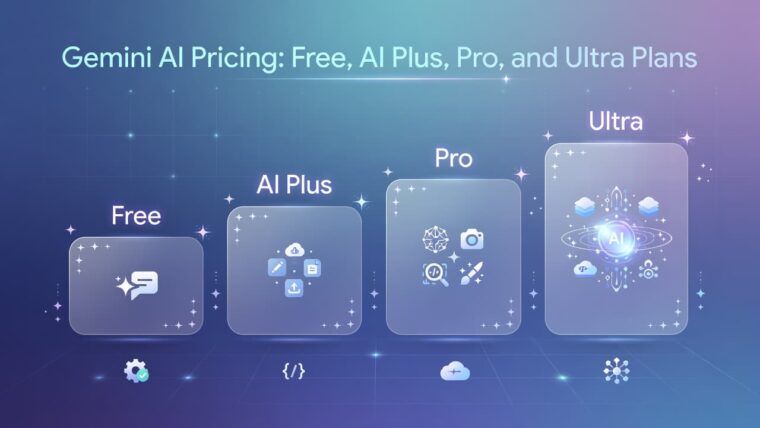
| Plan | Reported price example | Typical access |
|---|---|---|
| Free | $0 | Basic Gemini features and limited advanced use |
| Google AI Plus | Around $7.99 in some markets | More tools and storage in supported regions |
| Google AI Pro | Around $19.99 per month | Higher limits, stronger Gemini Pro models, extra Google tools |
| Google AI Ultra | From $99.99 per month | Highest limits and powerful Gemini Ultra creative features |
Google’s live AI plan page is the only price page you should use before buying. Its offers can differ by account and country. Reports have also shown different Ultra list prices and promotional rates.
Some coverage lists Indian prices for certain tiers, but the current research for this guide does not verify a live INR price from Google. Check the subscription screen in your own account rather than relying on an old price graphic.
Is Gemini AI Free, and Which Plan Should You Choose?
Yes, Gemini AI has a free version. It works well for everyday questions, basic writing, learning, and light testing.
Choose Free if you use AI now and then. Choose AI Plus if it is available and you want lower-cost extra access. Pro fits regular research, writing, and work tasks. Ultra only makes sense if you use high limits, video tools, or premium features often enough to justify the cost.
How to Use Gemini AI: A Simple Tutorial With Better Prompts
Open the Gemini website or mobile app, sign in, and choose a model if the option appears. Describe your task, attach a file when it helps, read the answer, then improve it with follow-up questions.
A useful prompt has five parts: role, goal, context, constraints, and format.
Try prompts like these:
- “Act as a biology tutor. Explain photosynthesis for a ninth-grade student in 150 words, then give me five quiz questions.”
- “Create a blog outline about local SEO for dentists. Include search intent, FAQs, and points that need current sources.”
- “Review this Python error. Explain the likely cause, give a safe fix, and write two tests I should run.”
- “Group these 20 keywords by search intent. Return a table with keyword, intent, page type, and content angle.”
- “Summarize this PDF in five bullets. List any dates, claims, or numbers that I should verify.”
- “Create an image prompt for a clean product photo of a reusable water bottle. No text or logos.”
Ask for assumptions, examples, tables, and source links. Break a large job into smaller steps. Vague prompts produce vague answers.
Don’t paste passwords, medical records, private client data, or confidential files unless you understand your account’s data controls.
Gemini AI vs ChatGPT: Which AI Assistant Fits Your Workflow?
Neither tool wins for every person. Your best choice depends on your workflow.
| Area | Gemini | ChatGPT |
|---|---|---|
| Ecosystem | Strong fit with Google services | Strong fit with OpenAI tools and workflows |
| Research | Google-connected features in supported plans | Strong research and browsing options by plan |
| Writing | Useful for drafting and revision | Useful for drafting and custom workflows |
| Coding | Integrates with Google developer tools and environments like Google Antigravity | Broad coding help and developer tools options |
| Multimodal work | Handles files, images, voice, and video features | Handles text, files, images, and voice features |
| Pricing | Bundled Google plans vary by region | Separate consumer and business subscriptions |
Run the same three prompts in both tools. Compare accuracy, clarity, citations, speed, and how much editing you need.
Gemini AI Advantages, Limitations, and Common Mistakes
Gemini’s strengths include Google integration, multimodal input, voice options, research features, and flexible plans. Its limits include hallucinations, uneven regional access, shifting model names, privacy concerns, and citations that may need checking.
Common mistakes are easy to avoid:
- Trusting the first answer without checking it
- Giving too little context
- Asking for a full project in one vague prompt
- Sharing confidential information without reviewing data policies and safety evaluations
- Publishing unedited AI content
If you use Gemini through software or an app, review the Gemini Developer API pricing separately, noting that Google AI Studio provides the developer workspace for building with the Gemini API. Consumer plan pricing does not cover API usage.
Gemini AI FAQ: Answers to the Questions People Ask Most
What is Gemini AI?
It is Google’s advanced artificial intelligence assistant and model family for text, files, images, voice, code, and other tasks.
Is Gemini AI free?
Yes. A free plan is available, though feature limits apply.
How much does Gemini AI cost in 2026?
Pro is commonly listed around $19.99 monthly, while Ultra starts higher. Check Google’s live plan page.
Is Gemini AI better than ChatGPT?
It depends on your needs. Test both with your real tasks.
Can Gemini create images?
Yes, image creation and editing are available in supported plans and regions.
Can Gemini help with coding?
Yes. It can explain errors, write tests, and suggest code, but you must review it.
Can students use Gemini?
Yes, for study help, summaries, and practice. It should not replace original work.
What are Gemini AI Extensions?
They are supported connections that let Gemini work with Google apps and services.
Does Gemini have an API?
Yes. Developers can use Gemini models through Google’s API platform.
Is Gemini safe for private information?
Don’t assume it is safe for sensitive data. Review your account settings and data policies first.
For more technical model availability, see Google’s enterprise model reference.
Final Thoughts
Gemini AI is most useful when you give it a clear job and review what it returns. The free plan gives you a low-risk way to test your real study, content, coding, or business tasks.
Use one structured prompt this week. Compare the result with another assistant, then check the live plan details before you pay for higher limits.